Student ID card at the Ludwigshafen University of Business and Society

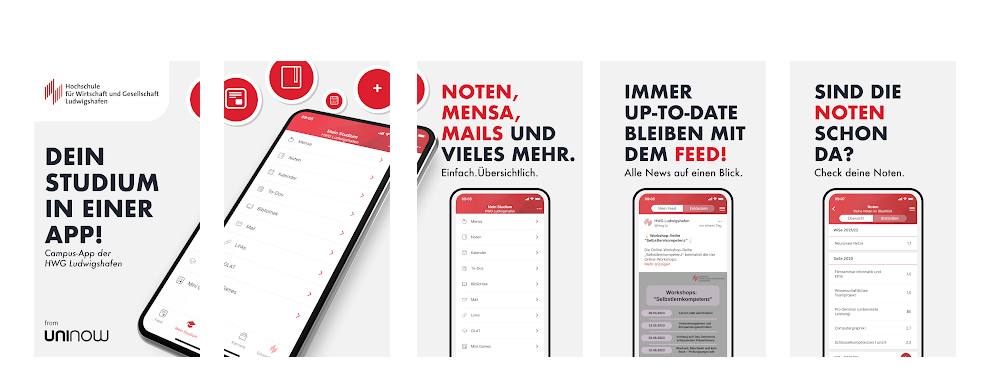
The student ID card is integrated as a digital ID card in the "HWG-LU App".
To obtain the digital student ID, the "HWG-LU App" must first be installed.
This app can be downloaded from the Google Play Store or Apple App Store: "HWG-LU App" (UniNow GmbH).
The IT Service Center explains the first steps with the app in a quick guide.
Photo for the digital student ID (HWG-LU app)
Please upload your passport photo for your digital student ID.
Requirements for the photo:
- Format JPG
- Width: at least 400 pixels
- Height: at least 500 pixels
- Size: max. 1 MB
Time of the photo upload:
1) The photo can be uploaded during online enrollment in the application portal. Uploading the passport photo is the third last step "Upload photo" in the "Apply for enrollment" process.
OR
2) Once you have enrolled, you can upload your passport photo in your personal student portal under: "My studies", "Student services", "Pictures" tab.
Library/payment card & "StudiCard"
You can pay in the canteen with your library/payment card, StudiCard or cash. In the library, payment can only be made with the library/payment card or StudiCard.
The library/payment card is available at the information desk. It is issued to first semester students by the IT Service Center during the induction week.
Students who still have a "StudiCard" can continue to use it as a library/payment card. If the StudiCard is lost or defective, a library/payment card will be issued.
Both card versions can be recharged at the rechargers near the cafeteria and at the cafeteria cash desk (B building).